
GTX Missing Icons
The images for GTX icons are missing
It is possible to see images of question marks or happy faces in place of normal icon images in Raster CAD toolbars. The images for GTXRaster CAD toolbar icons are stored in the installed Raster CAD\bmps file path. Under normal circumstance, the GTX program installation will create a Raster CAD profile for AutoCAD which configures the Raster CAD and the Raster CAD\bmps paths in the AutoCAD Support File Search Path as displayed in this image.
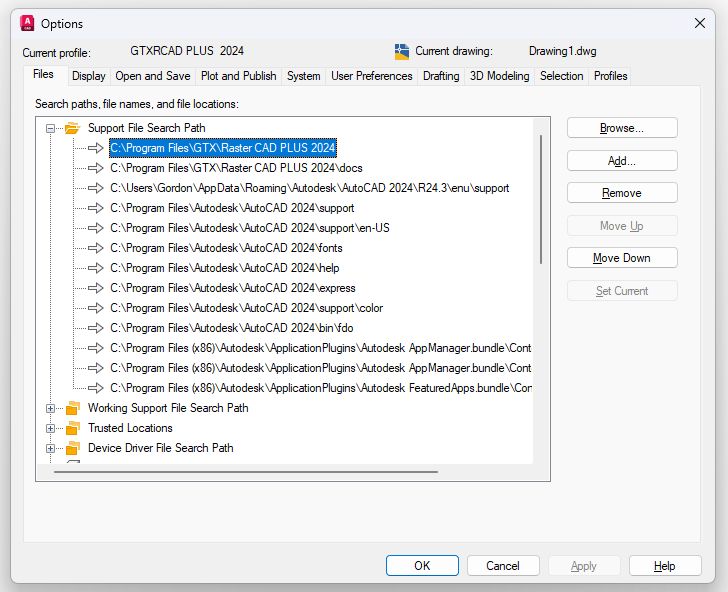
Generic images will appear in the GTX toolbars if the GTX menus are loaded in the absence of the GTXRaster CAD\bmps support path configuration. Adding the the missing BMPS path alone will not correct the problem. The procedure is to unload any loaded GTXRaster CAD menus, add the GTXRaster CAD\bmps path to the Support File Search Path list, exit AutoCAD, find and delete any files with the .mnr file extension found in the GTXRaster CAD file folder then restart AutoCAD. Because the GTX menus have been unloaded they must now be reloaded and the GTX toolbar images should appear correctly.